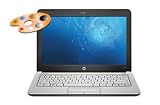
I got this machine from Amazon based on Ubuntu reports leading me to believe it would work well, and the really easy access to memory and disk area this particular netbook provided.
Since I was going to use this as a Ubuntu machine primarily, I was not really too worried about what version of Windows was on it.
The video resolution is good - surprisingly, I can read everything when writing or web browsing even when set to the maximum hardware resolution. Part of my decision was the resolution, the HDMI output port - my hope being that this will be a sufficient machine for taking to make presentations (overhead projector); other netbooks have had special Fedora and Ubuntu spins, to deal with the low resolution, small screens. No need for any of that nonsense with this box! I did try the netbook spins, but was disappointed to not have that full desktop control and multi-windows that this little guy is more than competent at serving me.
On the airplane, this is small enough to work comfortably, and my bi-focals focus quite comfortably - the crispness of the screen at max resolution provides NO problems for these old (over 50) eyes, an unexpected surprise.
The keyboard has a nice feel, and although it is "only" ninety-some percent size, I can type comfortably for long spells; good for flights, and long commuter train rides (my intended use).
Bluetooth with Ubuntu (Ubuntu 9.10) works fine. I want a mouse with this machine, as the touchpad drivers for Ubuntu haven't yet caught up with the device identifiers for this new Alps touchpad. A simple pair of aliases easily turn off/on the touchpad for writing (that's when the mouse is handy; for more, see the mini 311 posts at 2linices.blogspot.com). There are people who seem to have partly solved the "usual" Linux touchpad behavior of turning off touch _while_ typing. That will be convenient. In Windows I simply turned off "tap" to make typing bearable. It's a GREAT touchpad, appropriately sensitive for navigating / scrolling.
I replaced the laptop drive with a Hitachi Travelstar 7K320 - 320GB 2.5" SATA 7200 RPM 16MB - Internal Hard Drive - 0A57547 I had laying around (note: the 7K320 _is_ a 7200 RPM drive; see data sheet at [...]. This drive has very low battery consumption when not reading/writing (lower than the drive shipping with this 311). I also got 2GB 1066MHZ DDR3 Non-ecc Sodim to bring the total system up to 3G. I run with the NVidia Linux driver, and have setup for 3 virtual screens - a pleasing desktop, and plenty of RAM to handle multiple applications.
Wireless networking has worked without a hitch. A button will save battery life by turning off wifi; turning it back on resumes search for a wireless connection. I also use the IOGear USB 2.1 Bluetooth Micro Adapter GBU421 with my Logitech bluetooth mouse (no fuss, no problems).
Skype works fine - surprisingly clear to people I call with the built in mic and speakers; but it's better with my Logitech ClearChat Comfort USB Headset (Black). I have not yet tried to bond my cellular bluetooth headset, but don't expect any problems. This would be a great way to use Skype. Playing music on the plane (iTunes or RhythmBox) is great through the speaker bar which is along the front edge (headphones / headset just makes it nicer).
I have played around with making a multi-boot disk, so I can come up in Windows, or a couple of different Linux distributions.
With a 2G+ USB stick I don't really want / need a CD/DVD drive (there are 3 USB ports). But I can boot any operating system I want to test / try out on either a USB stick, or an external USB hard drive - F9 lets you select the boot device.
I rarely turn this machine off - close the lid, and it goes to sleep; open it up, and it powers up. Yes, it will loose battery this way... but over days. On the road, I plug my iPod and phone into the USB ports to charge overnight. To keep the machine powered, closing the lid to about 30 degrees turns off the screen backlight without suspending the machine.
It's not a computing powerhouse (I would not want to compile large systems, or do Photoshop with it), but its great for writing, staying connected (internet), talking (skype), or keeping yourself entertained (internet radio or rhythmbox music, or online videos). In a pinch, you _can_ run "powerhouse" programs, but clearly this machine is for running 5+ hrs unplugged. You may also notice, as I did, that it seems significantly more responsive running Ubuntu Linux than Windows. I think this gives the machine that much more utility.
In summary - everything works as I would expect (except touchpad control in Ubuntu, for which I found a reasonable workaround), and pleasantly so. I gave it 4 stars for one simple reason: price / configuration: with a drive, ram, and (if you're going to go commercial operating system) a Windows7 upgrade (a more satisfying choice than Windows-XP), the total gets up there. You can get a subsidy if you sign a contract with a phone provider (e.g. Verizon) and get a cell-phone module in it. But regardless, I like this compared to competitive offerings. I'd like to see HP start with Windows7 as a default, and "certify" some Linux option (I picked Ubuntu simply because of Android phones - also open source - being developed on Ubuntu).
Green machine; happy owner. Now all I need from this box is some reasonable years of service.
Get more detail about HP Mini 311 Series.

No comments:
Post a Comment